



 Chat with AI
Exam 4: Enhancing Your Character Using Illustrator and Photoshop

Exam 1: Creating a Character Using Adobe Illustrator50 Questions
Exam 2: Creating a Comic Book Using Adobe Illustrator50 Questions
Exam 3: Creating Animations Using Adobe Photoshop50 Questions
Exam 4: Enhancing Your Character Using Illustrator and Photoshop50 Questions
Exam 5: Creating Basic Animations in Flash Professional50 Questions
Exam 6: Animating With Illustrator and Photoshop Files in Flash Professional50 Questions
Select questions type


To create a series of in-between objects, use the ____ tool.
(Multiple Choice)
4.9/5  (85)
(85) Rasterizing a layer converts a layer's contents into ____________________.
(Short Answer)
4.8/5 (93)
(93) Smart objects allow you to apply nondestructive ____________ to a layer.
(Short Answer)
4.8/5 (77)
(77) When you place a file into Illustrator, it can be linked or embedded.
(True/False)
4.8/5 (79)
(79) The process of exporting an image sequence or video is called __________.
(Short Answer)
4.8/5 (65)
(65) You can change the path of a blended object by adjusting its ____.
(Multiple Choice)
4.9/5 (53)
(53) 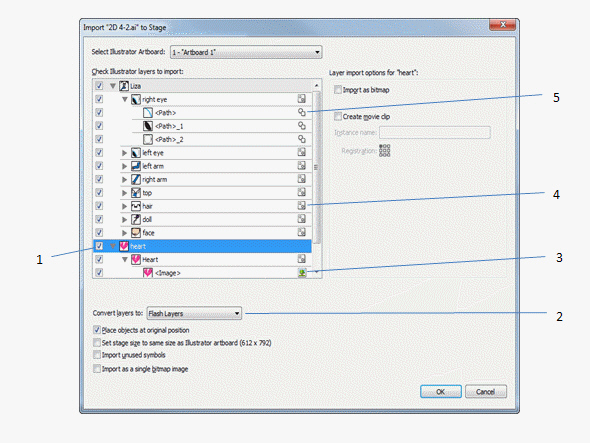 You can change from one type of gradient to another by using the option labeled ___ in the figure above.
 (Multiple Choice)
4.9/5 (92)
(92) 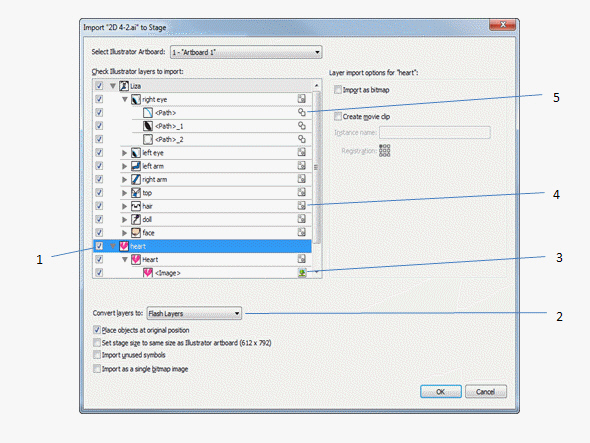 Item 4 in the figure above points to the ____
A(n) __________ is a layer that contains image data from raster or vector images.
(Short Answer)
4.8/5 (75)
(75) 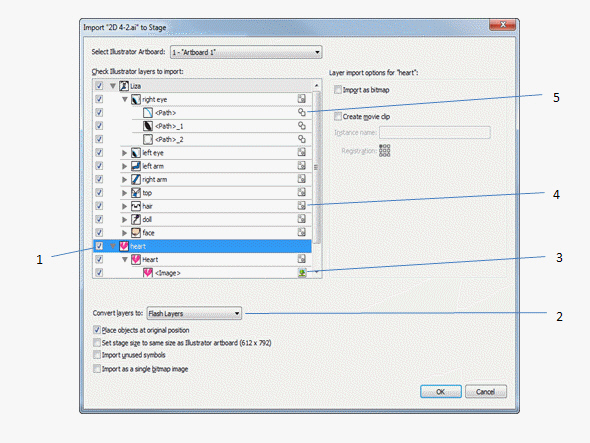 The image in the figure above is a ____ gradient
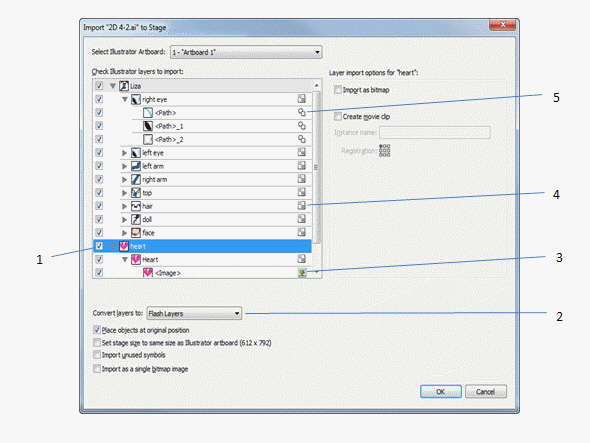 Item 3 in the figure above is an example of a ____.
The effect of panning and __________ is commonly known as the "Ken Burns Effect."
(Short Answer)
4.9/5 (78)
(78) Kate works as an illustrator for a publishing company. She provides illustrations for children's books and also creates animations for the company's website. In the Rasterize dialog box, Kate is sure to select ____ so that a white background is not added behind each layer.
(Multiple Choice)
4.8/5 (82)
(82) To Edge is one of the ____ options in the Create Gradient Mesh dialog box.
(Multiple Choice)
4.8/5 (84)
(84) When stock photos are used to create an animatic, it is referred to as a(n) __________.
(Short Answer)
4.7/5 (80)
(80) 
Filters
- Essay(0)
- Multiple Choice(0)
- Short Answer(0)
- True False(0)
- Matching(0)