



 Chat with AI
Exam 8: Use Advanced Features

Exam 1: Get Started With Microsoft Publisher70 Questions
Exam 2: Create a Publication70 Questions
Exam 3: Work With Text70 Questions
Exam 4: Work With Graphic Objects70 Questions
Exam 5: Enhance a Publication70 Questions
Exam 6: Improve a Design70 Questions
Exam 7: Work With Multiple Pages70 Questions
Exam 8: Use Advanced Features70 Questions
Exam 9: Work Efficiently70 Questions
Select questions type


To reorient text so that it appears correctly when a publication is folded, you should wrap it.
(True/False)
4.8/5  (76)
(76) The first Pack and Go Wizard dialog box defines the location where the packed file will be stored.
(True/False)
4.9/5 (81)
(81) 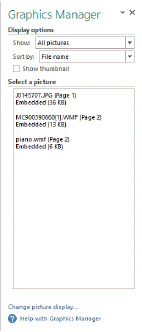 The Graphics Manager shown in the accompanying figure is accessed in the Show group on the ____ tab.
 (Multiple Choice)
4.8/5 (78)
(78) 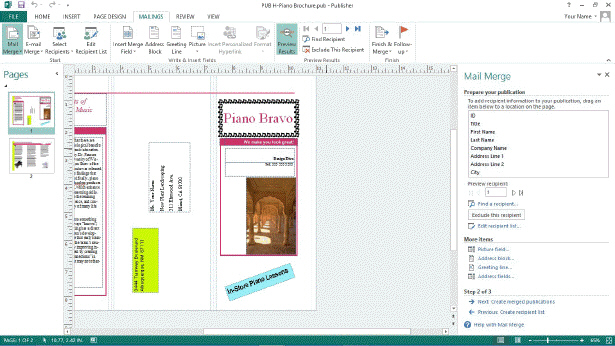 In the accompanying figure, if you want to change the name of a recipient, you should click the Edit recipient list link to open the Edit Data Target dialog box.
 (True/False)
4.9/5 (75)
(75) First name, last name, and zip code are all examples of records.
(True/False)
4.8/5 (61)
(61) Case Margene works for a commercial printing company. Her new client, Jorge, asks for help preparing his publication for printing. Jorge uses the ____ pane to determine the names, file types, and sizes of objects in his publication.
(Multiple Choice)
4.7/5 (88)
(88) Match the term with its definition
Premises:
A file that contains information about recipients
Responses:
Field
Mail Merge
Record
Correct Answer: Verified
Premises:
Responses:
(Matching)
4.9/5 (72)
(72) In a mail merge, a(n) ____________________ is a complete set of information about an individual or an item.
(Short Answer)
4.8/5 (82)
(82) In a mail merge, state, street address, age, and customer ID are all examples of a ____.
(Multiple Choice)
4.8/5 (81)
(81) To change the size of a BorderArt pattern, modify the ____ text box.
(Multiple Choice)
4.9/5 (76)
(76) 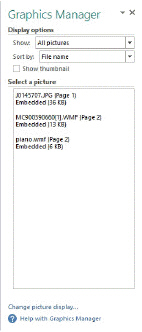 Referring to the accompanying figure, you can click the two entries under Step 2 of 3 to move back and forth between ____.
 (Multiple Choice)
4.7/5 (61)
(61) 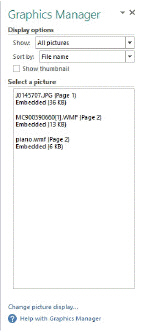 Referring to the accompanying figure, if you move on to the next step and click Print preview, you will view the preview in ____ view.
 (Multiple Choice)
4.9/5 (73)
(73) 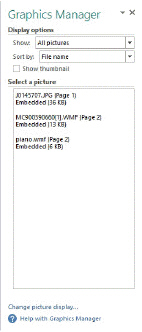 Used in conjunction with the Graphics Manager pane shown in the accompanying figure, the Fonts dialog box is available as part of Embedded Font Information in the Info command on the ____ tab.
 (Multiple Choice)
4.9/5 (71)
(71) When doing a mail merge, extra spaces in your data fields will be removed.
(True/False)
5.0/5 (76)
(76) 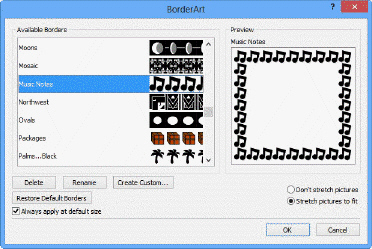 Referring to the accompanying figure, the Moons border is not currently available.
 (True/False)
4.9/5 (77)
(77) Which of the following is NOT true about the Pack and Go Wizard?
(Multiple Choice)
4.9/5 (71)
(71) The ____ format is the final file format you deliver to a commercial printer.
(Multiple Choice)
4.9/5 (82)
(82) 
Filters
- Essay(0)
- Multiple Choice(0)
- Short Answer(0)
- True False(0)
- Matching(0)