



 Chat with AI
Exam 4: Finishing a Presentation

Exam 1: Creating a Presentation in Powerpoint 2010137 Questions
Exam 2: Modifying a Presentation71 Questions
Exam 3: Inserting Objects Into a Presentation70 Questions
Exam 4: Finishing a Presentation70 Questions
Exam 5: Working With Advanced Tools and Masters71 Questions
Exam 6: Enhancing Charts68 Questions
Exam 7: Inserting Illustrations, Objects and Media Clips71 Questions
Exam 8: Using Advanced Features71 Questions
Exam 9: Web Apps: Working With Windows Live and Office Web Apps65 Questions
Select questions type


Case 2 Doug is giving a presentation about volunteer work to a local youth group. To grab his audience's attention, he wants to use lots of animation effects. On the second slide, Doug wants a clip art image of a light bulb to grow after it is shown on the slide, so he looks at options in the ____ category of the Custom Animation task pane.
(Multiple Choice)
4.8/5  (70)
(70) If you know the slide number of a slide you want to jump to during a slide show, type the number, then press [Enter] .
(True/False)
4.7/5 (66)
(66) To view a PowerPoint slide show on a computer, you need PowerPoint ____________________ if you do not have PowerPoint.
(Short Answer)
4.8/5 (83)
(83) In this unit, it is stated that you are likely to decrease the average meeting length when you use a visual presentation. Why do you think this is true?
(Essay)
4.8/5 (77)
(77) While an annotation tool is visible, you still use mouse clicks to advance the slide show.
(True/False)
4.7/5 (82)
(82) 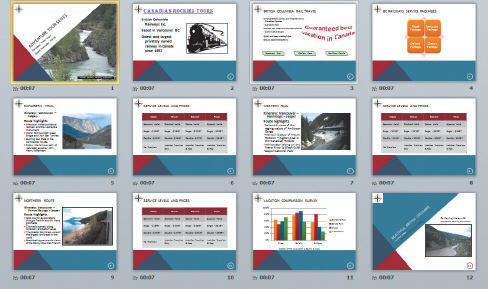 The figure above shows a PowerPoint presentation in ____ view.
 (Multiple Choice)
5.0/5 (76)
(76)  There is a set of four semitransparent icons in the lower left corner. Clicking the arrow icon pointing to the right moves you to the next ____.
 (Multiple Choice)
4.8/5 (79)
(79) Case-Based Critical Thinking Questions Case 1 Tony is in charge of all presentations for a Fortune 500 pharmaceutical company. In addition to creating powerful and persuasive presentations, Tony must make sure each presentation is in perfect shape before uploading them to the company Web site. Tony wants to make sure that he is familiar with the flow of animated objects on the last slide, so he reviews the ____.
(Multiple Choice)
4.9/5 (78)
(78)  In the above figure, the straight arrow, pointing to the right, will ____.
 (Multiple Choice)
4.9/5 (77)
(77) Animation tags identify the ____ in which objects are animated during slide show.
(Multiple Choice)
4.8/5 (70)
(70)  The circular mark drawn in red on the photo in the figure above is a ____ annotation.
 (Multiple Choice)
4.7/5 (78)
(78) You can press and hold [Tab] and click the Normal button on the status bar to display the slide master.
(True/False)
4.8/5 (78)
(78) It is a good idea to limit each slide to six words per line and ____ lines per slide.
(Multiple Choice)
4.8/5 (73)
(73) Match each term below with the statement that best defines it.
Correct Answer: Verified
Premises:
Responses:
(Matching)
4.8/5 (83)
(83) There are three Master views: Slide Master view, Handout Master view, and Notes Master view.
(True/False)
4.8/5 (69)
(69)  The icon that shows the curved arrow that is pointing to the left ____.
 (Multiple Choice)
4.8/5 (72)
(72)  The icon that shows two short vertical lines will ____ the presentation.
 (Multiple Choice)
4.8/5 (68)
(68) 
Filters
- Essay(0)
- Multiple Choice(0)
- Short Answer(0)
- True False(0)
- Matching(0)