



 Chat with AI
Exam 4: Work With Graphic Objects

Exam 1: Get Started With Microsoft Publisher70 Questions
Exam 2: Create a Publication70 Questions
Exam 3: Work With Text70 Questions
Exam 4: Work With Graphic Objects70 Questions
Exam 5: Enhance a Publication70 Questions
Exam 6: Improve a Design70 Questions
Exam 7: Work With Multiple Pages70 Questions
Exam 8: Use Advanced Features70 Questions
Exam 9: Work Efficiently70 Questions
Select questions type


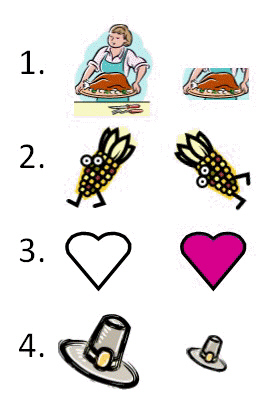 In the accompanying figure, the pair of images labeled ____ has been resized.
 (Multiple Choice)
4.9/5  (75)
(75) When you ____________________ an image, you conceal portions of it to just show the parts that are relevant to your publication.
(Short Answer)
4.8/5 (67)
(67) Like objects that are cut, deleted items are stored in the Clipboard.
(True/False)
4.7/5 (75)
(75) 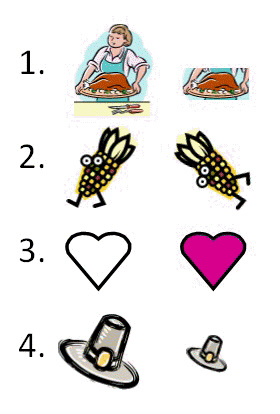 In the accompanying figure, the pair of images labeled ____ has been filled.
 (Multiple Choice)
4.8/5 (73)
(73) To keep the center of an object stationary while resizing it, press and hold ____ while dragging a handle.
(Multiple Choice)
4.8/5 (92)
(92) Match the term with its definition or function.
Premises:
Concealing portions of an image
Responses:
Flipping
Layering
Cropping
Correct Answer: Verified
Premises:
Responses:
(Matching)
4.8/5 (86)
(86) 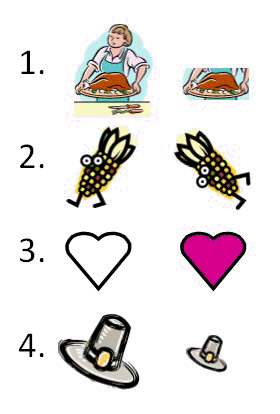 In the accompanying figure, the difference between the pair of objects labeled 3 is that the second image has been filled.
 (True/False)
4.7/5 (83)
(83) 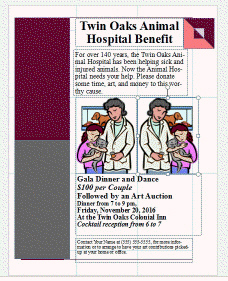 Referring to the accompanying figure, if you want to make it easier to move the object perfectly horizontally, press the ____________________ key.
 (Short Answer)
4.7/5 (87)
(87) You can use commands on the ____ tab to locate images on your computer as well as those on the Internet.
(Multiple Choice)
4.8/5 (95)
(95) 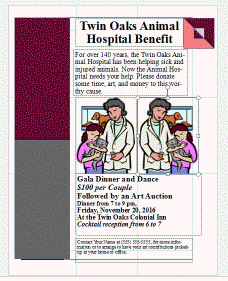 Referring to the accompanying figure, to create this graphic, a second copy of the original object was added by pressing ___ while dragging the object.
 (Multiple Choice)
4.9/5 (77)
(77) 
Filters
- Essay(0)
- Multiple Choice(0)
- Short Answer(0)
- True False(0)
- Matching(0)