



 Chat with AI
Exam 1: Creating and Editing a Presentation With Pictures

Exam 1: Creating and Editing a Presentation With Pictures103 Questions
Exam 2: Enhancing a Presentation With Pictures, Shapes, and WordArt103 Questions
Exam 3: Reusing a Presentation and Adding Media and Animation206 Questions
Exam 4: Office 365 Essentials53 Questions
Select questions type


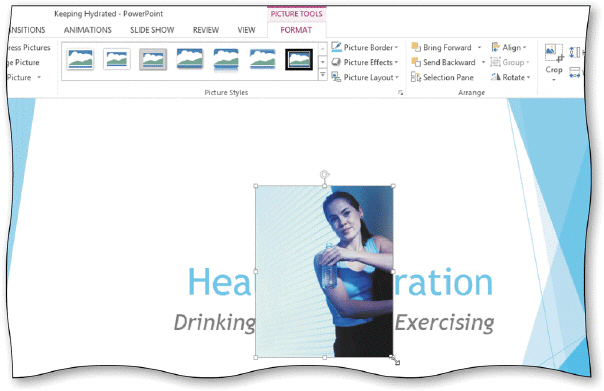 When you insert a clip on a slide without a clip content placeholder, the clip is inserted ________________________ of the slide, as shown in the accompanying figure.
 (Short Answer)
4.8/5  (76)
(76) 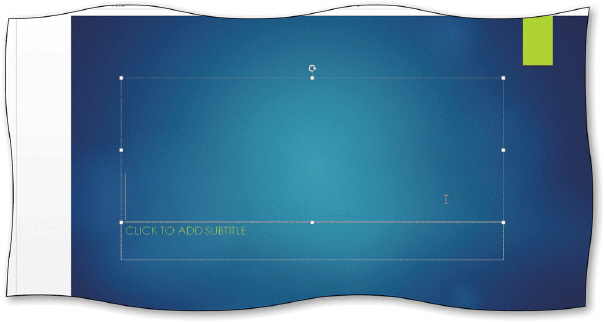 Dashed lines around the border of a placeholder indicate that the placeholder is _________________________, as shown in the accompanying figure.
 (Short Answer)
4.9/5 (88)
(88) The ____ dialog box allows you to search for and insert files from a range of online sources.
(Multiple Choice)
4.8/5 (79)
(79) The Font Color gallery is located in the Color Group on the DESIGN tab.
(True/False)
4.9/5 (91)
(91) To display the on-screen touch keyboard, tap the Touch Keyboard button on the Windows taskbar.
(True/False)
4.9/5 (88)
(88) _________________________ a presentation enables you to distribute the document to others in a form that can be read or viewed but typically not edited.
(Short Answer)
5.0/5 (89)
(89) When you install PowerPoint, the default setting allows you to reverse up to the last ____ changes by tapping or clicking the Undo button on the Quick Access Toolbar.
(Multiple Choice)
4.8/5 (84)
(84) Unlike clip art, you cannot resize a photograph using sizing handles.
(True/False)
4.7/5 (75)
(75) Pressing the ____ key when entering title text in a placeholder creates a new paragraph.
(Multiple Choice)
4.8/5 (75)
(75) A level is a position within a structure, such as an outline, that indicates the magnitude of importance.
(True/False)
4.7/5 (65)
(65) 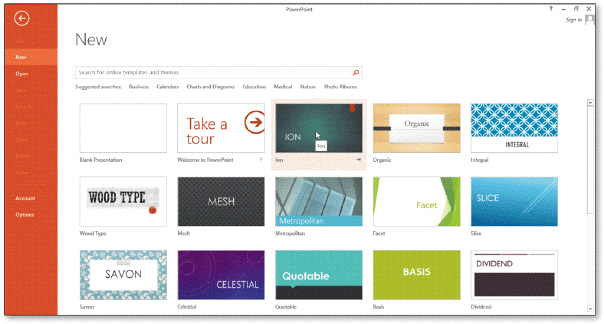 The accompanying figure illustrates the screen you use to choose a ____.
 (Multiple Choice)
4.8/5 (72)
(72) Creating a high-level paragraph in a multilevel bulleted list is called _________________________ text.
(Short Answer)
4.8/5 (67)
(67) One way to increase font size is to press CTRL+ _________________________.
(Short Answer)
4.8/5 (83)
(83) When two slides contain similar information and have the same format, _________________________ one slide and then making minor modifications to the new slide saves time and increases consistency.
(Short Answer)
4.8/5 (85)
(85) Modified Multiple Choice Which of the following slide properties can be specified if you create a custom layout?
(Multiple Choice)
4.9/5 (88)
(88) In a multilevel bulleted list slide, creating a lower-level paragraph is called ____ the text.
(Multiple Choice)
4.9/5 (85)
(85) 
Filters
- Essay(0)
- Multiple Choice(0)
- Short Answer(0)
- True False(0)
- Matching(0)