Multiple Choice
Vanessa is attempting to log into the Gaia Web Portal. She is able to login successfully. Then she tries the same username and password for SmartConsole but gets the message in the screenshot image below. She has checked that the IP address of the Server is correct and the username and password she used to login into Gaia is also correct. 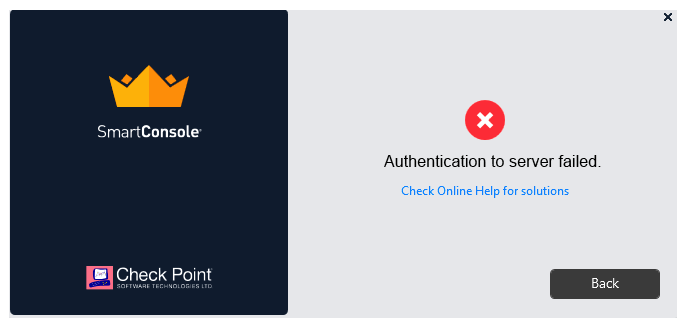 What is the most likely reason?
A) Check Point R80 SmartConsole authentication is more secure than in previous versions and Vanessa requires a special authentication key for R80 SmartConsole. Check that the correct key details are used.
B) Check Point Management software authentication details are not automatically the same as the Operating System authentication details. Check that she is using the correct details.
C) SmartConsole Authentication is not allowed for Vanessa until a Super administrator has logged in first and cleared any other administrator sessions.
D) Authentication failed because Vanessa's username is not allowed in the new Threat Prevention console update checks even though these checks passed with Gaia.
Correct Answer:

Verified
Correct Answer:
Verified
Q317: You can see the following graphic: <img
Q318: Which software blade does NOT accompany the
Q319: You noticed that CPU cores on the
Q320: The organization's security manager wishes to back
Q321: Which of the following is NOT a
Q323: Anti-Spoofing is typically set up on which
Q324: What licensing feature is used to verify
Q325: When configuring Anti-Spoofing, which tracking options can
Q326: To view the policy installation history for
Q327: Which of the following is NOT a